> ## Documentation Index
> Fetch the complete documentation index at: https://docs.spread.so/llms.txt
> Use this file to discover all available pages before exploring further.
# 문자메시지 템플릿 설정하기
> Spread 사이드바 SMS 메뉴에서 발송할 메시지 템플릿을 설정하는 방법을 안내합니다.
## Overview
Spread 사이드바 SMS 메뉴에서 발송할 메시지 템플릿을 설정하는 방법을 알아보세요.
## 템플릿 설정 방법
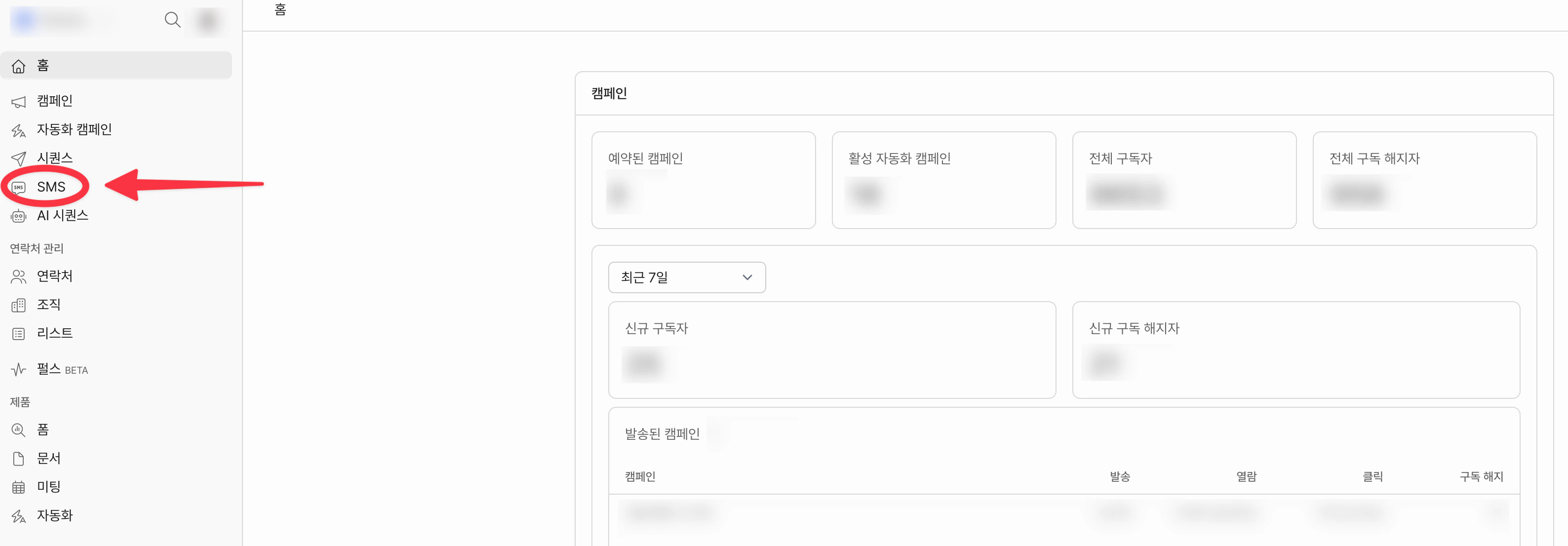
사이드바에서 **SMS** 메뉴를 클릭합니다.
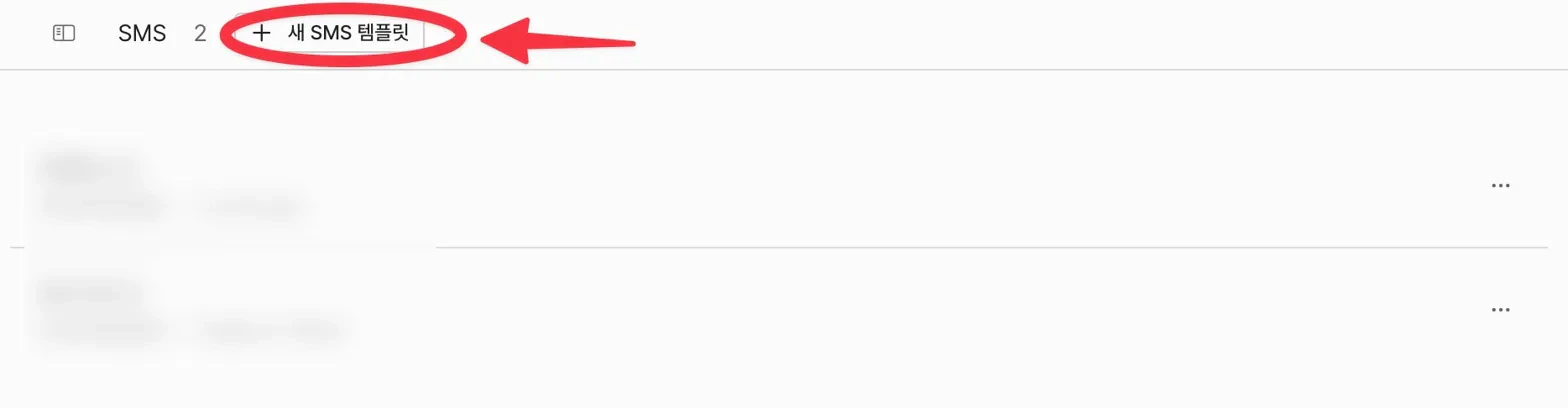
 상단의 **+ 새 SMS 템플릿** 버튼을 클릭합니다.
 템플릿 작성 화면에서 아래 항목을 입력합니다.
* 이름: 발신할 템플릿의 이름입니다. 수신자에게는 노출되지 않습니다.
* 발신번호: API 연동 후 선택할 수 있습니다.
* 본문: `{{`를 키보드로 입력하여 개인화 변수를 사용할 수 있습니다.
템플릿 작성 화면에서 아래 항목을 입력합니다.
* 이름: 발신할 템플릿의 이름입니다. 수신자에게는 노출되지 않습니다.
* 발신번호: API 연동 후 선택할 수 있습니다.
* 본문: `{{`를 키보드로 입력하여 개인화 변수를 사용할 수 있습니다.
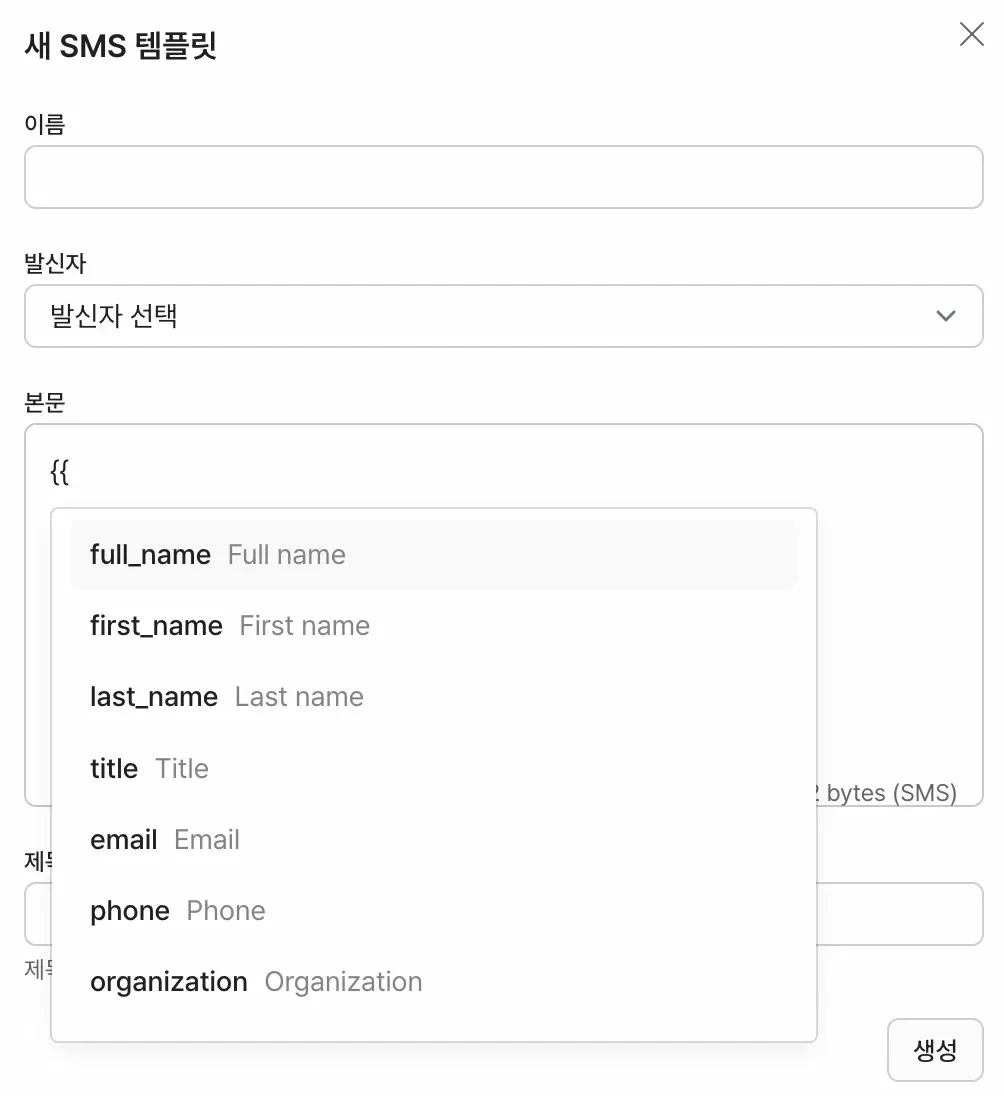 본문 길이가 길어지면 자동으로 LMS로 발송됩니다.